
Showing posts with label Graphics And Design. Show all posts

Saturday, 2 June 2012

Corel Draw X6

CorelDRAW Graphics Suite X6 V16.0.0.707
DESCRIPTION
Whether you're a beginner or experienced designer, CorelDRAW ® Graphics Suite is your solution X6 graphics software trusted. Thanks to its comprehensive software environment and graphic design, photo editing and web design professional, you'll have everything you need to express your style and creativity with endless possibilities. 
You'll feel at ease right away, with your help, designed templates professional and integrated training videos. So you can create with confidence: from distinctive logos and signs up impressive custom websites, web graphics, billboards, vehicle signs, brochures and more. Your style. No limits.
NEWS
New! Advanced support for OpenType ® 
Create magnificent texts OpenType typographic features with advanced, contextual and stylistic alternatives, ligatures, ordinals, ornaments, caps, variants with frills and many others. OpenType is perfect for designs for several different platforms, provides full support for multiple languages ​​and lets you customize characters to fit the language in which you work. You can control all OpenType options from a menu and apply changes centrally contextual OpenType features interactive.
New! New custom color harmonies 
Easily create complementary color palettes for your designs. The new tool color harmonies, which you can access from the Color Styles docker, combines styles of color harmonies and lets you modify colors collectively. It also discusses colors and shades to provide complementary color schemes, which will be very useful if you want to offer a variety of options to your customers.
New! Several trays Corel ® CONNECT ™ X6 
Find images instantly on your local network and search web sites iStockPhoto ®, Fotolia and Flickr ®. Easily access your content through the various trays that now includes Corel CONNECT. You can organize content by type trays or project shared by CorelDRAW ®, Corel ® PHOTO-PAINT ™ and Corel CONNECT, and thus enjoy maximum efficiency.
New! Creative tools allocation vector shape 
effects Add your own vector of the most creative! CorelDRAW X6 has four mapping tools so that they offer new creative options to optimize your vector objects. The new Blur tool allows you to shape an object by adding extensions and indentations along its contour. With the new spiral tool you can apply effects to objects spiral. And you can use new tools to attract and reject shape or drawing curves separating nodes.
New! Document Styles 
Manage styles and colors easily! The Styles docker centralized object creation and management styles and includes all the tools you need in one place. Create and apply styles Outline, Fill, Paragraph, Character and Text Frame to your objects. Group your favorite styles in sets of styles to format several objects at once quickly and consistently. You can also further simplify the process and save time using the default style sets.
New! Page design tools 
Reserve space for text or graphics with the new frameworks PowerClip empty. Use the new text command marker to simulate the design of a page and have a good idea and the finished look of text. You can also add page numbers easily with the command to insert page numbering.
Improved! Support for complex script 
font and appearance Ensures correct for Asian languages ​​and Middle East. Support for complex script behaves the same way as OpenType fonts, since the characters are modified as you type to provide more accurate context.
New! Software web site design 
professionals create websites, design websites and manage web content easily with Corel ® Website Creator ™ X6. His assistant for sites, templates, drag and drop functionality and seamless integration with XHTML, CSS, JavaScript and XML provide full website design.(You must have an account to download the application Corel.)
Improved speed! Multicore processor support and native support for 64-bit 
processing power advantage of multicore and 64-bit native support. The improved speed allows you to quickly process and pictures files larger. In addition, your system will be ma
New! Vector pattern fills and bitmap 
New support transparent backgrounds in vector pattern fills! We have introduced a collection of fillings, including new pattern fills and bitmap for the first time, vector pattern fills with transparent backgrounds.
FUNCTIONS
Adopt effective design X6 CorelDRAW ® Graphics Suite, which offers fonts and images filled with content, professional graphic design tools, features and photo editing software website design. In addition, the improved speed thanks to the 64-bit support allows you to quickly process images and larger file size. Your style. No limits.
SYSTEM REQUIREMENTS
  • Microsoft ® Windows ® 7 (32 or 64 bit), Windows Vista ® (32 or 64 bit) or Windows ® XP (32 bit), all with the latest service packs installed
  • Intel ® Pentium ® 4, AMD Athlon ™ 64 or AMD Opteron ™
  • 1 GB of RAM
  • 1.5 GB of hard disk space (typical installation without content, will need additional disk space during installation)
  • Mouse or tablet
  • Screen resolution of 1024 x 768
  • DVD
  • Microsoft ® Internet Explorer ® 7 or later
Mediafire Links

x64
Part 1
Part 2
Part 3


Password: pakmobileghar


x86
Part 1
Part 2
Part 3


Password: pakmobileghar


Read More

Corel Draw X5

Corel Draw X5

Features
Put the power of CorelDRAW® Graphics Suite X5 behind your ideas and make a bold impact across any media. This versatile graphic design software has it all—vector illustration, page layout, photo editing, tracing, Web graphics and animation in one tightly integrated suite. Designed for professional and aspiring designers alike, it offers a quick, intuitive workflow, high-value digital content, market-leading file compatibility and graphic design tools that let you do more than you thought possible!

Creativity and power come together in CorelDRAW Graphics Suite X5. With increased speed, more accurate color control, enhanced vector illustration tools and new Web capabilities, it’s a must-have for any designer. Get going quickly with new professionally designed templates and learning materials. Find graphics, fonts and images on your computer faster than ever with new Corel® CONNECT. Re-purpose and share your creations anywhere with expanded file compatibility. Then output everywhere, from Web banners and animations, to logos, custom signs and more.


- More speed with new multi-core support
- More rich content and professional templates
- More learning tools, video tutorials and expert tips
- More compatibility, with support for over 100 file formats
- More color control and consistency
- More Web capabilities, including Flash animation support
- More output options for print, Web, digital signs and more

System Minimum Requirements:

- Microsoft® Windows® 7, Windows Vista®, Windows® XP, with latest service packs installed (32-bit or 64-bit editions)
- Intel® Pentium® 4, AMD Athlon™ 64 or AMD Opteron™
- 512 MB RAM (1 GB recommended)
- 750 MB hard disk space (1 GB for typical installation without content). Up to 6GB needed to install extra content
- Mouse or tablet
- 1024 x 768 screen resolution (768 x 1024 on a Tablet PC)
- DVD drive
- Microsoft® Internet Explorer® 7 or higher

Mediafire Link

Password: pakmobileghar


Read More

Corel Draw 11

Corel Draw 11

Description

CorelDraw 11 Full Version With Serial Key is a famous and professionally used Graphics software.
CorelDraw 11 Full Version With Serial Key helps to design and edit photos and images in PC. CorelDraw 11 Full Version With Serial Key is one of the latest software of COREL available on Computer Training 2011.


Professional Designers and Animators use CorelDraw 11 Full Version With Serial Key for completing their tasks easily.
CorelDraw 11 Full Version With Serial Key is also very easy to use.
Click on the above DOWNLOAD link to download CorelDraw 11 Full Version With Serial Key absolutely free without any cost.

Mediafire Link

Password: pakmobileghar


Read More

Thursday, 10 May 2012

Easy GIF Animator 5 Pro

Easy GIF Animator 5 Pro

Easy GIF Animator is powerful yet very easy to use software for creating and editing animated GIF images. With this animated GIF editor you can easily create animated pictures, banners and buttons in no time. You can use special features to add stunning visual effects and prepare your animation for publishing on your web page. Easy GIF Animator supports all types of GIF animation and provides high compression and great quality for your animated GIF images. To top it all off, Easy GIF Animator is the best priced animated GIF editor on the market today.


 With Easy GIF Animator You Can:
* Easily create animated banners, pictures and buttons
* Create animated GIF images from scratch
* Edit and modify animated GIF images
* Add visual effects to your GIF animation
* Add sparkle effect to any image
* Create moving text effects
* Optimize animated GIF images so they take less space and load faster
* Preview GIF animation in web browser
* Manage animation frames
* Set animation loop count and frame duration
* Extract separate animation frames
* Convert GIF animation to grayscale
* Edit animated GIF palette
* Reverse GIF animation or a portion of it
* Export GIF animation to AVI format
* Use GIF, JPG, BMP and PNG images in your animation
* Generate HTML code for publishing animation on the web

Mediafire Link
 
 Password: pakmobileghar


Read More

CPAC Imaging Pro v3.0

CPAC Imaging Pro v3.0


 Professional results with an easy to learn,operator friendly format.No more
air brushing or hours of hard work needed to achieve professional portrait
retouching and restoration. The ideal program to retouch, restore, repair,
refresh, renew, rejuvenate your portraits.
Retouching software for Professionals...outstanding results in just minutes.
CPAC Imaging PRO V 3.0 Features (the newest version fully cracked)
Professional Portrait Editing Techniques,Couple and Group Portrait Editing
,Automatic face selection and retouching,Batch processing,Add eyebrows or
eyelash,Adjusting shadows and highlights area,Make a soft looking image
Changes clothing,Changes the background,Color Correcting,Black and White
Image Coloring,Portrait Warping Techniques,Dust and Scratches Diminishing
and Vignette filter.

Rejuvenate a photo:


Adjust complexion:


Colorize a photo:


** Use Off Line **


PLATFORM: Windows
FILES : 47.19mb
COMPRESS: WinRar - Added Recovery Record
LANGUAGE: English
FIX : Portable

Mediafire Link

Password: pakmobileghar


Read More

Caricature Studio 6

Caricature Studio 6
(Make Funny Pictures)

https://blogger.googleusercontent.com/img/b/R29vZ2xl/AVvXsEi1oVe5J_3d3pCF60nty7V85T83onO_216lYGFMrRbAJtvXjjcILBhWzvoqke7KEhSX0rHFjkxCA4_oo2BYi9uT2rZrpap5HXqcIXBj0RbbnSss7CWi16OGbB4333oRzo0BWV5bUHfn88q3/s1600/caricature_studio_6_6_12_526_2011.jpeg

Caricature Studio 6 is the only Windows software designed specifically to create caricatures. Quickly and easily create caricature art, comics and novelty photos. Just like amusement parks and fair vendors....right on your desktop! You'll also get over 100 novelty templates and themes for all occasions! Look at all of the amazing features you'll get in one incredible novelty photo software suite...

Amazing Caricature Effects!
 Warp, twist, stretch, pull, shrink, expand, stylize...even animate your photos in endless variations to create hilarious caricatures! No artistic experience needed....anyone can do it. Go mild or wild by adjusting the amount of effect applied!

Head On Body!
Place any head on any body with just a few clicks! Place your friends in funny scene templates or paste into any photo for hilarious, realistic photo fakes. Caricature Studio 5 does more than just great caricatures. It's a full suite of novelty photo tools!

Comic Rendering!
Amazing filter that transforms ordinary photos into comic-style art in one easy click! Adjust the level of posterization, line thickness, density, and more. Also great for cars and other still images! Add talk bubbles and text to create comic panels featuring your friends and family!

Fake Magazines!
Be the star of your favorite magazine cover! Includes parody covers for many of your favorites. Print on photo paper and pair it with an inexpensive frame for a last minute birthday gift!

Easy Face Swap!
Morph any face onto any photo! Walk down the red carpet on the arm of a starlet with a few easy clicks. Creating good celebrity fakes used to require advanced skills with expensive professional photo editing software. With our caricature software, it's easy!

Screenshot: 


Important Note:

    1. Install the Offline state (Recommended).
    2. When the program is run then he will make the process, you wait until the process is completed (approximately 1-2 minutes depending on the pc specification). Once the process is complete it will be marked with the normal cursor (arrow-shaped), and on the HELP menu - Options "Purchase Full Version" and "Register" will die a sign already Registered.

Mediafire Link
 
Password: pakmobileghar
  
Read More

Ashampoo Photo Optimizer V4.0.3

Ashampoo Photo Optimizer V4.0.3
 Ashampoo Photo Optimizer v4.0.3 + keyGEN

 Ashampoo Photo Optimizer is very powerful software to optimize pictures and images are edited. This powerful software product that your company is large, with a series of Ashampoo software powerful enough to have full knowledge of this company, and as you know, the first application made by the company and makes among its competitors you confidently use this software. Perhaps you set the software to edit images , and many have worked for each of these applications has its own unique features. Today we want to introduce your friends, but software that has its own unique features that attract you to their amazing strength. This powerful software enables you to edit your pictures quickly. If you are heavy with graphics and complex software problems, you can use this software. And also with a few simple clicks of your images in different formats and can optimize them for use in various environments such as optimizing your website. A unique feature of this software can support images captured by digital cameras. You can use this software to adjust color images, optimize images, correct red eye, adjust brightness, image contrast , convert color images to black and white with one click, you can rotate pictures and zoom images without compromising quality images at different angles and pointed.

Features software Ashampoo Photo Optimizer:
- Ability to quickly upload photos to display images with high speed
- Contains various tools for editing pictures
- Support multiple image formats
- Rotate, adjust brightness, contrast and image effects on investment
- Optimize images and enhance image quality with a few clicks
- View pictures in a directory and display them with a click
- Convert image to black and white or Sepia photos or reversing colors with just one click
- Correct red eye in images taken with the camera
- Full support for your camera and the ability to view camera images while connected to a computer
- Automatic backup of images
- Support for different versions of Windows, including the popular Windows 7
Mediafire Link


Mediafire Password: pakmobileghar
RAR Password: www.asandownload.com
Read More

Anthropics Portrait Professional V10.9.3

Anthropics Portrait Professional V10.9.3
Anthropics Portrait Professional Studio v10.9.3 RePack by wadimus (Rus)
Portrait Professional - standalone program to handle the portraits of the company Anthropics Technology. It supports a unique technology that povolit you to quickly eliminate the main disadvantages of the person in the photo just a few clicks in a semi-automatic mode.The program eliminates wrinkles and skin blemishes, change the shape of the face, making full or thin person in a thin and, conversely, enhances facial features, making them more correct and attractive.Purpose image editors like Photoshop have enough money to improve your photos. However, inexperienced users often find it difficult to understand the subtleties of the use of multiple tools.As a result of the fact, to perform common operations such as removing wrinkles, whitening teeth, removing age spots, etc., takes a lot of time and effort. Portrait Professional - is a simple program, which focuses exclusively on improving the portraits. With it you can quickly and efficiently to improve the texture of the skin and make wrinkles less noticeable, improve the lighting on the face, whiten teeth, remove the effect of "red eye", to slightly change the shape of the nose and other parts of the face to make the portrait more attractive.

Key features:
• Free online support
• Smooth Skin
• Change the shape of the face
• Ability to change the eye
• Ability to change the hair
• Ability to change the lip
• Guide to retouch brush
• Picture Control
• Lighting Control
• A set of fully customizable presets
• Change of more than one person in the photograph
• Reading and the creation of JPEG and TIFF

Features RePack:
• left two languages ​​- English. and German.
• Russification - the files are German. language, by default it is selected and
• are installing an activated version of the Russian right, nothing further is not necessary to switch
• Photoshop plug-in to put out the installation, the program group is installing it (plugin) separately.

 Anthropics Portrait Professional Studio v10.9.3 RePack by wadimus (Rus)

 Anthropics Portrait Professional Studio v10.9.3 RePack by wadimus (Rus)
 
Information about the program:
Year of Release: 2012
Language: english, Russian
Operating System: Windows ® 2000, XP, Vista, 7 - (x32 | x64)
 
Mediafire Link


Password: pakmobileghar
RAR Password is: soft98.ir


Read More

Advanced Photo Tools IDRMyImage 2.0

Advanced Photo Tools IDRMyImage 2.0
(x86x64)

DRMyImage is a cheap shareware application that is translated to: English, Czech, Spanish, German and Portuguese. Now the IDRMyImage is implemented as a plugin for Photoshop and as a standalone application with GUI as well.


It works in severa modes:
• Multi exposure image fusion
• Single image fusion Light
• Single image fusion Dark
• Smart Contrast
• Daylight fusion Up/Down

Multi exposure image fusion
Sometimes it is impossible to take a clear shot with no over-illuminated and under-illumimated areas. IDRMyImage is the solution to this problem.Take several shots with different exposure times and fuse them together using IDRMyImage.

It is easy and fast with natural looking results and a dynamic range of tones. No artificial colors or structures are seen. In the application you can easily adjust several parameters of the fusion to get the best result.

From the technique it is obvious that the algorithm works best on nearly static scenes. Moreover we strongly recommend using a tripod while capturing source photos.

For the image fusion you don't need any information about how the source images were captured - no need for exposure times or other information.
From the world of science: HDR (High Dynamic Range) technique was originally developed in the 1930s and 1940s by Charles Wyckoff. Wyckoff's detailed pictures of nuclear explosions appeared on the cover of Life magazine in the mid 1940s. Scientists have published more than one hundred papers on the topic of HDR . The latest paper was published in 2010.
Single image fusionIDRMyImage can improve the dynamic range of a single photo. You don't need to capture many images with different exposure times. The algorithm uses the information hidden in the dark/light parts of your photo, that the human eye is unable to detect.

Our application preserves the real look of the photo unlike other commercial applications using HDR algorithms.

Source IDR Result
Image relight (Daylight Up/Down)SourceResult
If you capture an image where some parts are too dark or on the contrary over-illuminated, but the overall exposure is correct, it is time to use Daylight - Image relight. This function is able to highlight under-illuminated parts and darken over-illuminated parts, while preserving the real look.

These results cannot be achieved by histogram manipulation or contrast enhancement.

From the world of science: DaylightMyImage uses a very similar core algorithm as IDRMyImage. Moreover with the same algorithm we can easily manage multi-focus image fusion, i.e. we can fuse images with different focus planes into one image. This family of algorithms is based on so called "wavelets". The basic theory of wavelets was published by Mallat and Daubechies in the 90's. The wavelet theory is still vital and many papers continue to be published on this topic.

Smart contrast
This function in DaylightMyImage allows you to amplify or suppress shadows in the photo. Shadows in the photo are on different levels of detail (LOD) depending of the size of the object casting the shadow.Manipulating lights and shadows you can change the image impression. You can remove the haze, make the image brighter, cleaner or sharper.
Mediafire Link

Password: pakmobileghar


Read More

BenVista PhotoZoom Pro 4.1.2 (Photo Calendar Maker)

BenVista PhotoZoom Pro 4.1.2
(Photo Calendar Maker)
Benvista PhotoZoom Pro 4.1.2-DOA | 18.7 MB

Resize your images using BenVista PhotoZoom Pro 4, and get superb results through our unique, award-winning S-Spline technology! Equipped with S-Spline Max, the latest generation of BenVista’s patented S-Spline algorithm, PhotoZoom Pro 4 creates image enlargements of unequalled quality. PhotoZoom Pro 4 beats any of the alternative solutions, such as Photoshop’s Bicubic technique, fractal-based methods, and so-called ‘industry standards’. Where competitors fail to get past 300000 by 300000 pixels, PhotoZoom Pro 4 enlarges images up to 1 million by 1 million pixels. PhotoZoom Pro 4 is the ideal solution for enlarging digital images, both for printing and on-screen purposes. Besides enlargements of unequalled quality it offers various professional functions and features, and can be easily fit into anyone’s workflow. PhotoZoom Pro 4 is an absolute must-have for both professionals and serious amateurs who want to resize their images.

Features:
- The latest S-Spline interpolation algorithms
- Higher quality image enlargements & higher quality downsizing
- Advanced fine-tuning tools: create your own presets & save them for later
- Reduction of (JPEG) compression artifacts and noise
- Batch processing
- Multi-processor support
- Works as stand-alone application, as well as Automation plug-in and Export plug-in for Photoshop
- Extreme enlargements: up to 1 million by 1 million pixels!
- Extensive support for high-end images
Higher Quality:
Equipped with S-Spline Max, the latest generation of BenVista’s patented S-Spline algorithm, PhotoZoom Pro 4 creates image enlargements of unequalled quality. PhotoZoom Pro 4 beats any of the alternative solutions, such as Photoshop’s Bicubic technique, fractal-based methods, and so-called ‘industry standards’.
Truly Any Size: Where competitors fail to get past 300000 by 300000 pixels (or even much lower), PhotoZoom Pro 4 enlarges images up to 1 million by 1 million pixels. No other product offers this capability, let alone with preservation of image quality.
Fits into your Workflow: BenVista does not intend to dictate how you should fit PhotoZoom Pro 4 into your workflow. Therefore, the software works not only as a stand-alone application, but also as an Automation plug-in and Export plug-in for Photoshop.
For improved performance and an optimum workflow, PhotoZoom Pro 4 now fully supports 64-bit and 32-bit environments, with both the stand-alone application and the plug-in versions!
Choice:
Although S-Spline Max has proven to be the optimum technique in most tests, PhotoZoom Pro 4 also offers two other excellent S-Spline techniques. You can choose which you like best. You can even fine-tune each technique to your personal liking, and save your favorite settings so you can use them again later.
New in PhotoZoom Pro 4 are the additional fine-tuning options for S-Spline Max, offering improved sharpness control and a great new technology for reducing JPEG compression artifacts and noise.
Image Support:
PhotoZoom Pro 4 perfectly meets the requirements of the professional user when it comes to image support. It fully supports color spaces like RGB, CMYK, Grayscale and Lab, just like metadata of the types EXIF, IPTC, XMP, and ICC profiles. Also, PhotoZoom Pro 4 supports layers, 16 bits/channel (including Raw) and 32 bits/channel (HDR) images and, last but not least, a very wide range of image file formats.
Conclusion:
PhotoZoom Pro 4 is the ideal solution for enlarging digital images, both for printing and on-screen purposes. Besides enlargements of unequalled quality it offers various professional functions and features, and can be easily fit into anyone’s workflow. PhotoZoom Pro 4 is an absolute must-have for both professionals and serious amateurs who want to resize their images.
Compatible with the latest versions of Windows, Mac, and Adobe Photoshop (all 64-bit & 32-bit)

 Mediafire Link


Password: pakmobileghar


Read More

Corel Draw X3 Graphics Suite + Keygen

Corel Draw X3 Graphics Suite + Keygen

In-built tracing and improved drawing, formatting and colour correcting power make X3 the best upgrade in years.

At one stage the CorelDRAW suite dominated the field of PC graphics, but then Corel took its eye off the ball and allowed Adobe Illustrator to seize the professional market. With the re-branded X3 Corel claims that DRAW is back to reclaim its crown - but is this latest launch the real deal or just another marketing exercise?
It’s certainly been a miserable few years for CorelDRAW’s loyal users as recent releases have seen little core power added to the main DRAW application while other suite members have been quietly dropped. And at first sight it looks like X3 (read “13”) is more bad news. During installation it becomes clear that the X3 Suite has now shrunk to just three main applications: DRAW, PHOTO-PAINT (see boxout) and CAPTURE, an uninspired screen capture utility. Most strikingly, this means that the Corel RAVE application for creating vector Flash animations has been axed after just two releases. 


Mediafire Link

Part 1

Part 2

Part 3


Password: pakmobileghar


Read More

Bluff Titler DX9 8.3 MegaPack

Bluff Titler DX9 8.3 MegaPack
Create dazzling 3D titles for your videos with BluffTitler DX9
Want to impress your friends and clients with cool 3D titles? But don't want to spend a fortune on professional 3D animation and video titling software? BluffTitler is the easiest way to add spectacular 3D effects to your photos and videos!

Effects that can be created with BluffTitler include:
-golden beveled titles
-blood dripping titles
-JPG textured titles

-MPG textured titles
-slimy titles
-hairy titles
-exploding titles
-reflection mapped titles
-twisted titles
-cartoon shaded titles
-golden glowing titles
-spooky lightened titles
-titles with silver spikes
-jumbling titles
-inverted titles
-bouncing titles
-powerfield emitting titles
-titles with flying hearts
-pumping titles
-plasma backgrounds
-background videos morphing into donuts
-particle effects
-MP3 audio
-morphing JPG pictures
-exploding video backgrounds
-fractal backgrounds


Mediafire Link

Part 1

Part 2
 
Password: pakmobileghar

Read More

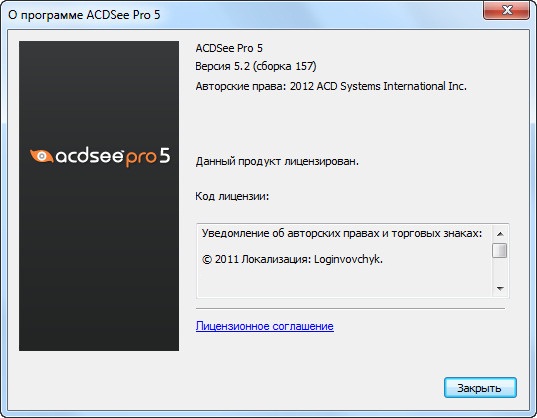
ACDSee Pro V5.2.157

ACDSee Pro V5.2.157

ACDSee Pro 5.2 Build 157 Final


ACDSee Pro - professional program for working with digital photos, which has more features designed for professional photographers. Supports more than 100 graphic file formats, lets you work with RAW-image, automatically sort photos by parameters obtained from digital cameras, provides an effective visual method to add meta tags to images, and fast batch processing of large quantities of pictures, including the RAW format. In addition, there exist tools for independent regulation of the color channels, patch photos of artifacts that appear due to errors in optics, adding "watermarks" to work with IPTC-metadata, you can backup image collections in ZIP-files recorded on CD or DVD and much more.

The product allows you to view, edit, organize, and publish catalogs of photos. In addition, support and processing RAW files, there are powerful tools, such as customizable folders and categories, quick editing features, visual markings and color management support for ICC and ICM profiles to meet all the needs of professional users. The product helps to simplify the processing of digital images from start to finish.

Key features:

Quick view RAW images;
enhanced support for RAW formats from digital cameras Nikon, Canon, Konica-Minolta, Olympus, Fuji, and Pentax;
powerful tools for processing RAW format gives the user full control over the images with precision tools for correcting white balance, various defects, sharpness and noise;
Full color management support for ICC and ICM color profiles;
Visual tagging feature allows you to quickly sort and select the photos you want;
integrated support for DNG (Digital Negative Specification) RAW format;
Batch editing of thousands of photos at once using multiple functions;
Fully integrated IPTC support for interoperability with PhotoShop Captions;
Watermark your photographs with graphics or text to reflect copyright and ownership rights, as well as the possibility of the imposition of certain photographs of business information;
Shadow / Highlight tool allows you to brighten only the dark areas of photos, shade too bright or done something, and another at the same time;
HTML album templates designed to meet the needs of professional users. They can be configured by adding contact information, company logo, as well as other information relevant to business users;
The possibility of quick editing make it easy to remove various distortions - the existence of a detailed user manual and training programs.
Changes in version 5:

New Features

Dodge and Burn tool.
Color Labels.
New Export for convenient one-step method for generating multiple output files from a single source image.
Drawing Tools (Pencil, Rectangle, Ellipse, Line, Arrow, Polygon, Curve).
Split Toning.
Smart Sharpening with the edge-detection mask slider.
Lomo, Orton, and Collage special effects.
Remove Metadata feature for direct removal of metadata without converting file format or re-encoding image data.
Enhancements

Relocated Edit to a top level application mode for quick access to pixel level editing tools.
Added support for new EXIF ​​2.3 metadata fields.
New thumbnail overlay icons for fast rating, tagging, and labeling of files.
Property pane now available in Develop and Edit mode.
Advancements to the undo buffer in Edit mode for improved experience with large resolution images.
Repair tool defaults to 'Last Used' preset allowing for continued cloning on multiple images in a row without needing to constantly change the radio button.
File modified time is now updated when embedding ACDSee metadata.
Option to turn on or off the Tag / Rate / Label control at top of property pane.
Import dialog option to import files into separate folders based on file's date.
Performance improvements for instant category assignment on larger databases.
Category tab added to the property pane for easy setting of categories in all modes.
Hovering over image now displays pixel RGB values ​​in the status bar of Develop and Edit mode.
One-click toggles between 100% and default zoom in View mode.
Option to display the check boxes for categories, and radio buttons for ratings in the Organize pane.
Ability to set customized default settings for RAW conversion (General, Advanced Color, Tone Curves, Noise Reduction).
Option to accelerate panning speed for easier panning of high resolution images.
Fixed

Spacebar failed to switch to panning tool when zoomed in on image when using Selections tool.
QuickView window changed position when not maximized and taskbar was positioned at top or left of the desktop.
Defects in repair tool, including quality issues when drawing outside the image and releasing the mouse button.
Mouse wheel not scrolling through Edit mode filters when the scroll bar was available.
Unable to set temperature / tint to 4990/0 for a RAW file in Develop mode.
Tagged overlay failed to function for selected image if Organize or Folder pane had focus.
Change Binding button incorrectly disabled for network folders in Database Maintenance.
Quick viewing of embedded JPG in RAW files stopped working in View mode when emailing a RAW image in ACDSee.
Properties Pane showing pixels per inch when the resolution units specified in metadata as pixels per centimeters.
ACDSee Metadata in header and footer did not update in full screen View Mode.
In some cases, ACDSee would crash when encountering images with dates before 1970.
RAW Support for Cameras
ACD is committed to releasing regular free updates to support RAW files from new camera models as they become available. View the complete list of supported RAW formats.


Features of version:

Type: installation
Languages: English | Russian (by Loginvovchyk)
Treatment: place (patch-iOTA ~ FLOATING ~)
Cut: English language help
Command line options:

Silent Installation of the Russian version: / S / RU
Silent install the English version: / S / EN
It is also possible to select the directory for the installation: After all the keys you need to add / D =% path% Example: fayl_ustanovki.exe / S / RU / D = C: \ ACDSee
OS: Microsoft Windows XP with Service Pack 2, Windows Vista, or Windows 7

Mediafire Link

Password: pakmobileghar
 

Read More

ACDSee Power Pack 7

ACDSee Power Pack 7

 ACD Systems International Inc. (TSX: ASA), makers of ACDSee photo management software and Canvas technical illustration software, announced today the availability of ACDSee 7 and ACDSee 7 PowerPack in the French, Italian, German and Spanish (FIGS) languages. ACDSee 7 and ACDSee 7 PowerPack FIGS are available through the company's electronic software distribution (ESD) channel and in retail stores throughout Europe. Renowned for its speed, ACDSee is used the world over as the leading choice for image viewing and management. ACDSee 7 and ACDSee 7 PowerPack continue to be highly recommended by leading international computer and photography trade magazines. 

Ordinateur Individuel (France) magazine gave ACDSee 7 a five star rating for its product features and Testticker.de, VNU Publications (Germany) wrote that ACDSee has some impressive performance enhancements and that the program continues to be effective in managing large quantities of images. PC World (Denmark) wrote that ACDSee's most important feature is the upgrade of the user interface and that ACDSee's categories offerings allow for easier search capabilities.  

ACDSee 7 - is the newest version of ACD Systems flagship photo management software for photography enthusiasts, professionals and corporate users. New features in ACDSee 7 include a Device Synchronization function, a Context Sensitive Toolbar, advanced search capabilities, RAW format support, MPV and HighMAT support and an Image Comparison tool.

ACDSee 7 PowerPack - includes ACDSee 7 and:
ACD Photo Editor 3.1 - all of the essential tools users need to make quick edits to their digital photos and create simple web graphics.
ACD FotoSlate 3.1 - digital printing software that lets users create greeting cards, calendars and contact sheets. 

Mediafire Link


Password: pakmobileghar
 
Read More
PAK MOBILE GHAR by Shehroze Ahmed. Powered by Blogger.